
Guide
Run a pickleball social night
A pickleball round robin on the night, start to finish: getting everyone on court, scores, changing courts, late arrivals and early leavers, and the results at the end. Dink Duty runs it from the organiser's phone, free.
Before people arrive
Set the session up first: who's playing, how many courts, how long and the format. The format guides on this site cover that, with the set-up steps for each: Round robin (with fixed partners), Up-and-down the river and Apex.
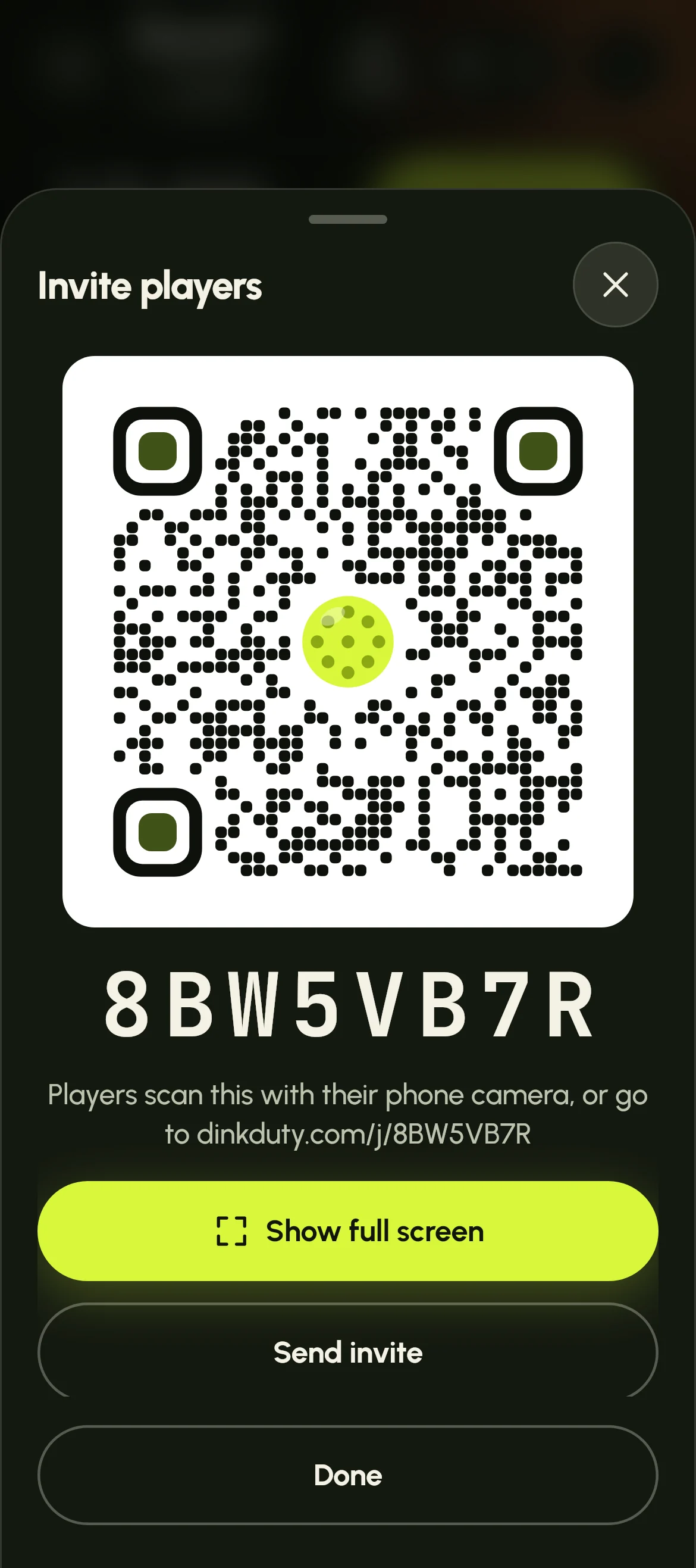
As people arrive, tap Invite at the top of the screen. It shows a QR code and the session's 8-character code. Tap Show full screen and stand the phone where people walk in, or tap Send invite to post the link in the group chat.
- Players don't have to join. The session runs either way, and you can type their names in yourself.
- Too many people joining? Pause joining stops anyone new, and players already joined stay joined.
Players join on their phone
Players scan the QR code with their phone camera, or type the web address under it. There's no app to download and no password: they tap their name, add their email so they can find their games later, and they're in.
Anyone not on the list taps I'm not on the list and types their name. Before the start they're added straight away; once the session has started, their name waits on your screen for you to add.
When the round starts, each player's phone shows their court and who they're playing with and against, or that they're sitting out, and where they're going next round.
Start round 1
Tap Start session. Call to courts shows each court and who's on it, and who sits out, big enough to read out. Tap Start round to close it.
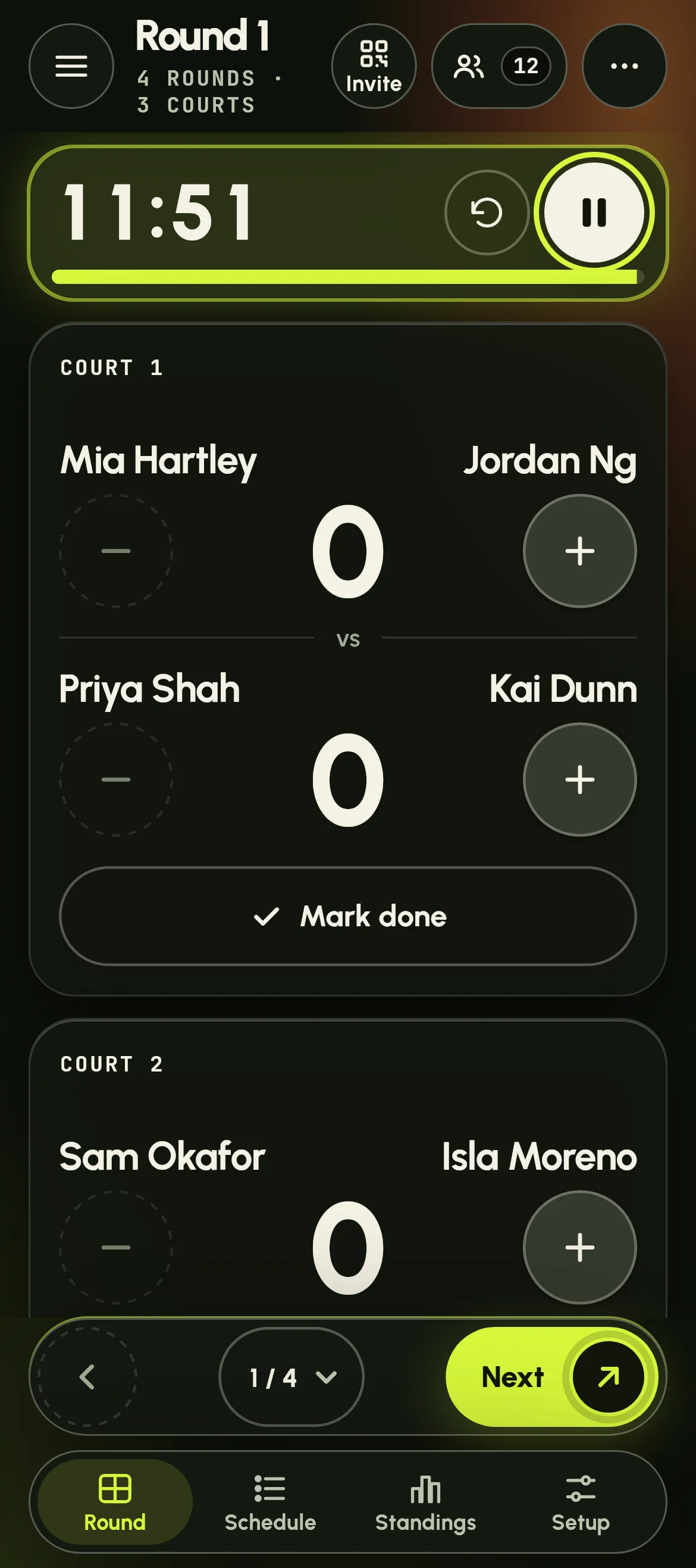
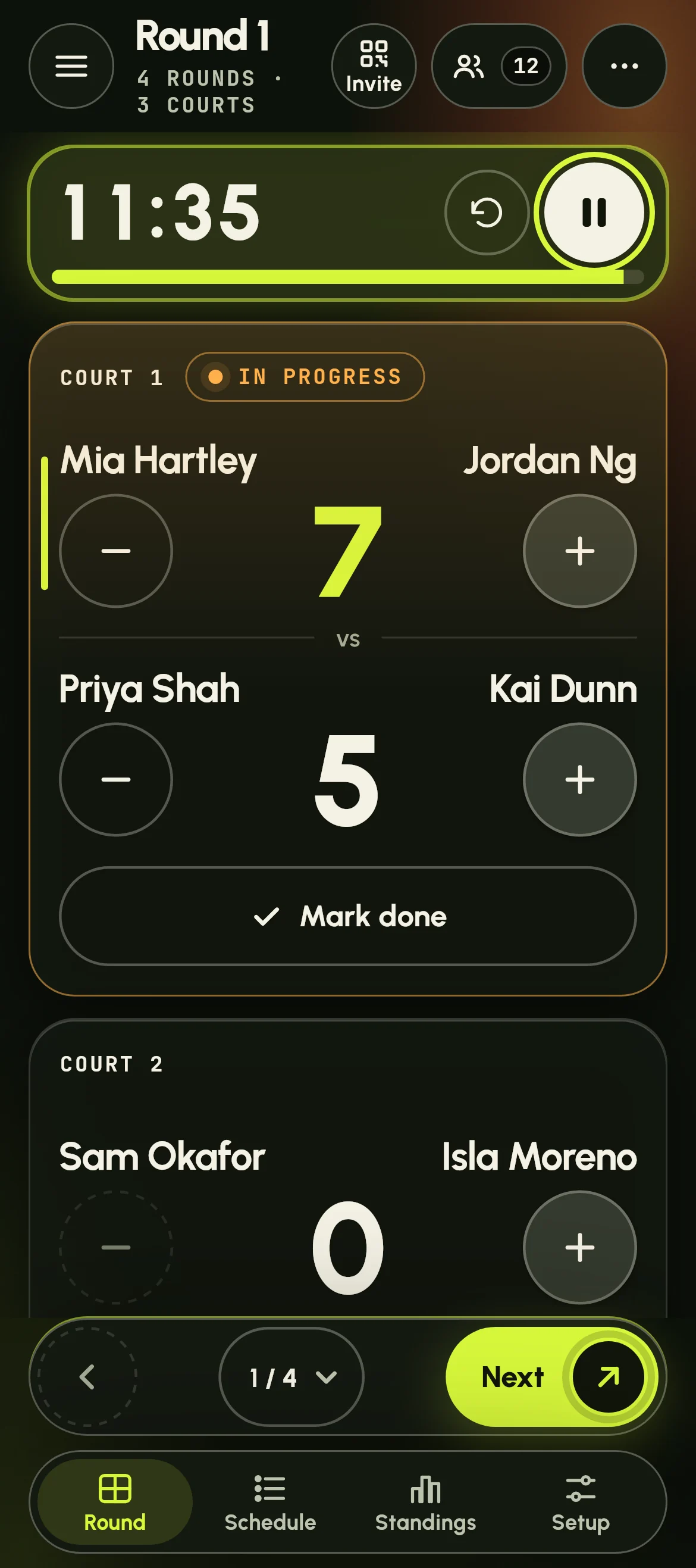
The Round screen has a card for each court. If you turned the timer on, start the clock at the top of the screen. You can take 30 seconds off or add 30, tap it to fill the screen, and a buzzer sounds at time up.
Keep score
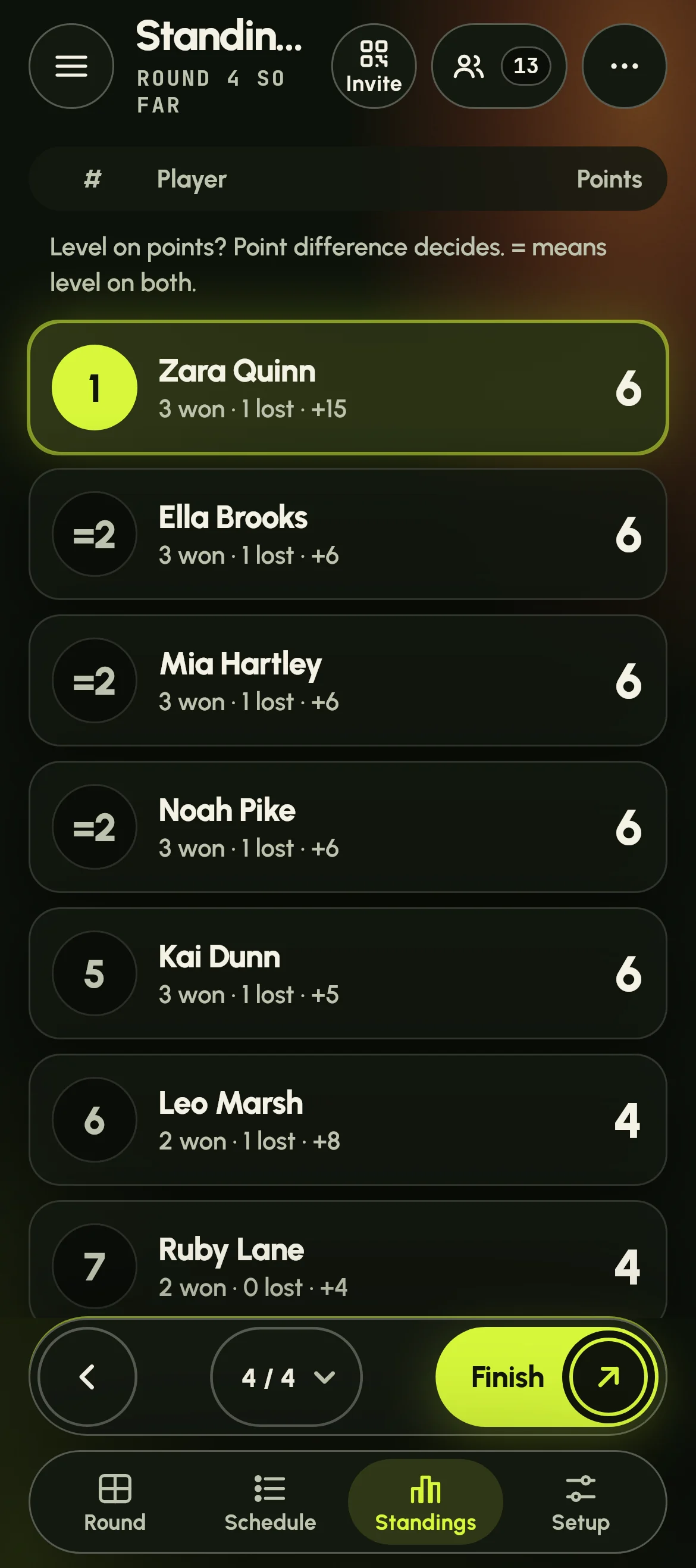
If you're keeping score, enter it on each court's card: + and − for each side, then Mark done when the game is over. Standings shows the table so far at any time.
- Round robin and fixed partners: keeping score is up to you. Without it there's no table at the end, but everyone still sees who they played.
- Up-and-down: the score decides who moves up and down, so it's always kept, and a score can't be level. A court left without a result keeps its players on the same court next round.
- Apex: everyone is re-ranked on their results after every round, so the score is always kept. A level score is a draw, and a game without a result counts as 0–0.
Next round: everyone changes courts
When the round's games are done, tap Next at the bottom of the screen. If a court is still open, or the timer is still running, Dink Duty asks first. The timer resets for the new round, Call to courts shows the new courts, and every player's phone shows their new court.
Who goes where depends on the format:
-
Round robin
Everyone gets a new partner and new opponents. The rounds are planned at the start, so Up next shows the next round's courts.
-
Fixed partners
Each pair keeps its partner and plays another pair. With more pairs than the courts hold, pairs take turns to sit out.
-
Up-and-down the river
Winners move up a court and losers move down; the winners on the top court stay there. Pairs split and re-pair on every court.
-
Apex
Everyone is re-ranked on their whole night so far, and the courts are filled from the top: the top four on court 1, the next four on court 2, and so on.
When things change
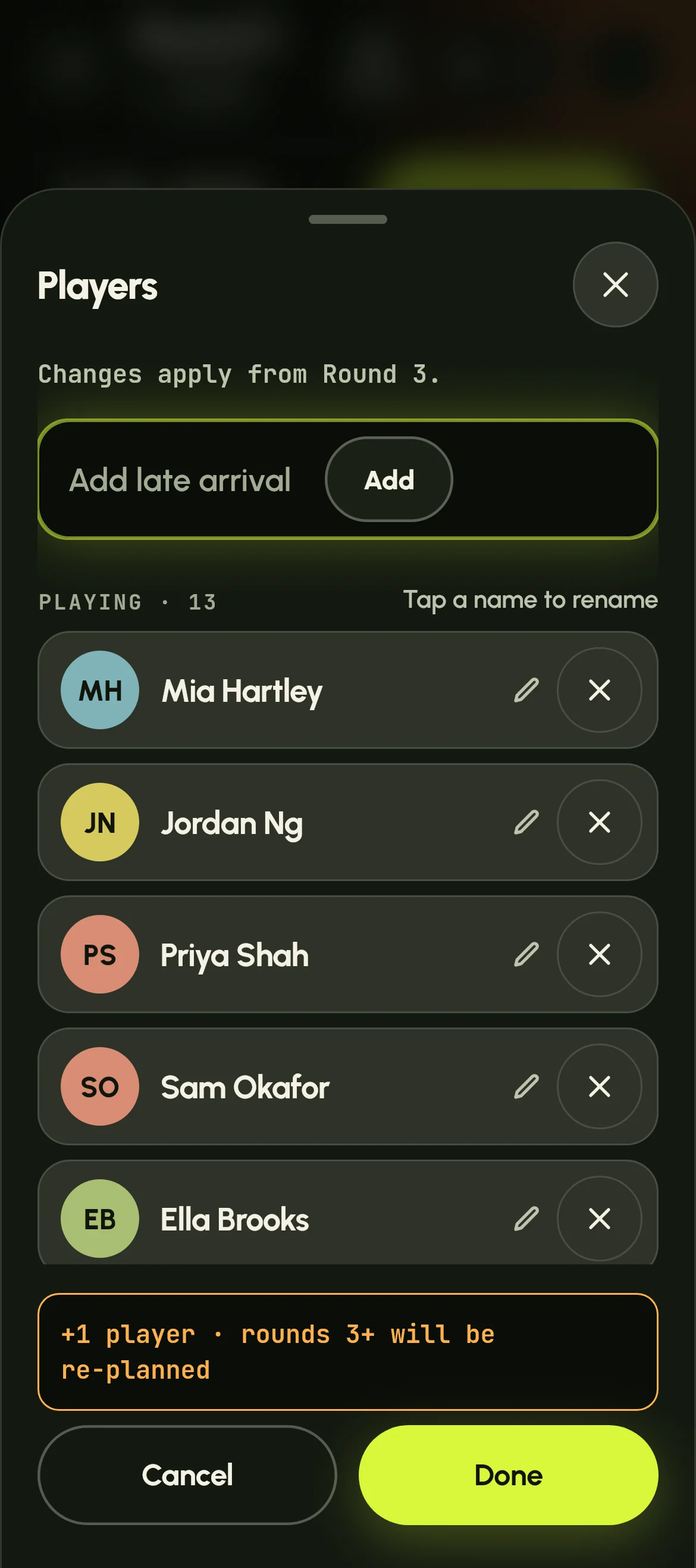
People turn up late, leave early or don't fit the courts. None of it means starting again. Tap Players at the top of the screen (the people icon with a number): your changes apply together when you tap Done, and the sheet says which round they start from.
The rounds already played, and the one on court now, stay as they are. Only the rounds still to come change.
- A late arrival: type their name in Add late arrival. They play from the next round, and the rounds after it are planned again with them in.
- Someone who adds their name on their phone after the start: they're under Wants to join. Tap Add, or No thanks, and their phone shows your answer.
- Someone leaving: tap the cross by their name, and the rounds still to come go on without them. Tap again to bring them back. To fix a name, tap it.
- Odd numbers: when the players don't fill every court, the rest sit out that round. The Round screen and their phones say who. With too few players for even one court, the round has no games and everyone rests.
- Another round: tap More (the three dots), then Add a round. A session can have up to 20. On the last round, a late arrival only plays if you add one.
- One round fewer: More, then Remove a round takes off the last round, if it has no scores and isn't the round on court.
- Out of time: More, then End session early. The final standings use the games scored so far, and you can go back to the round afterwards.
- Changed your mind? Each of these has an Undo on the message at the bottom of the screen.
-
Round robin
Sit-outs are shared: nobody sits out twice until everyone has sat out once. A missed round counts as a sit-out, so a late arrival isn't first in line to sit out.
-
Fixed partners
Someone who arrives on their own waits, and the next person to arrive becomes their partner. If one partner leaves, the pair leaves, and their opponents sit out that round.
-
Up-and-down the river
Players waiting to play are a queue: late arrivals join the back, and the queue comes in on the bottom court. If someone leaves mid-round, their court stays as it is and needs no result.
-
Apex
Whoever has sat out least sits out next. Someone who leaves keeps their results, marked Left. To finish in the top three, a player needs to have played at least half the rounds.
Finish and share the results
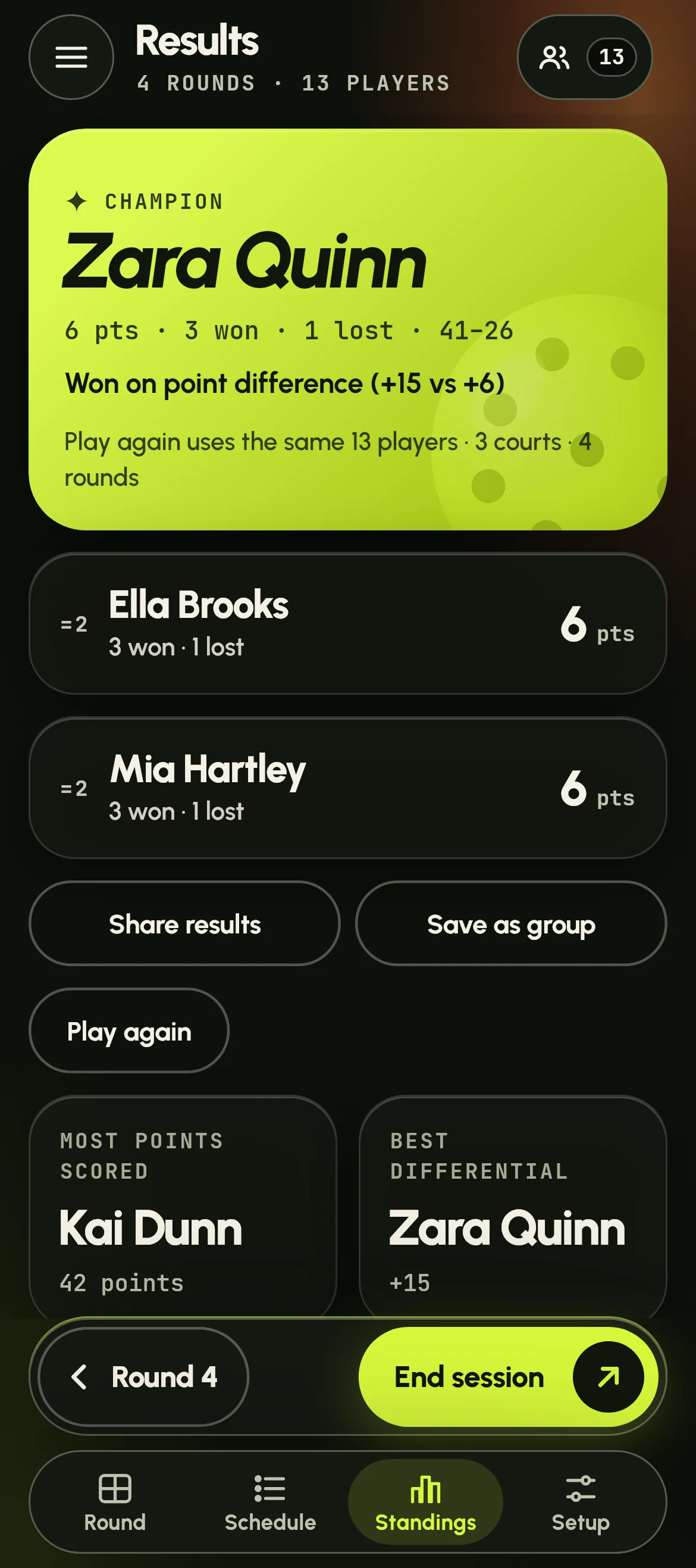
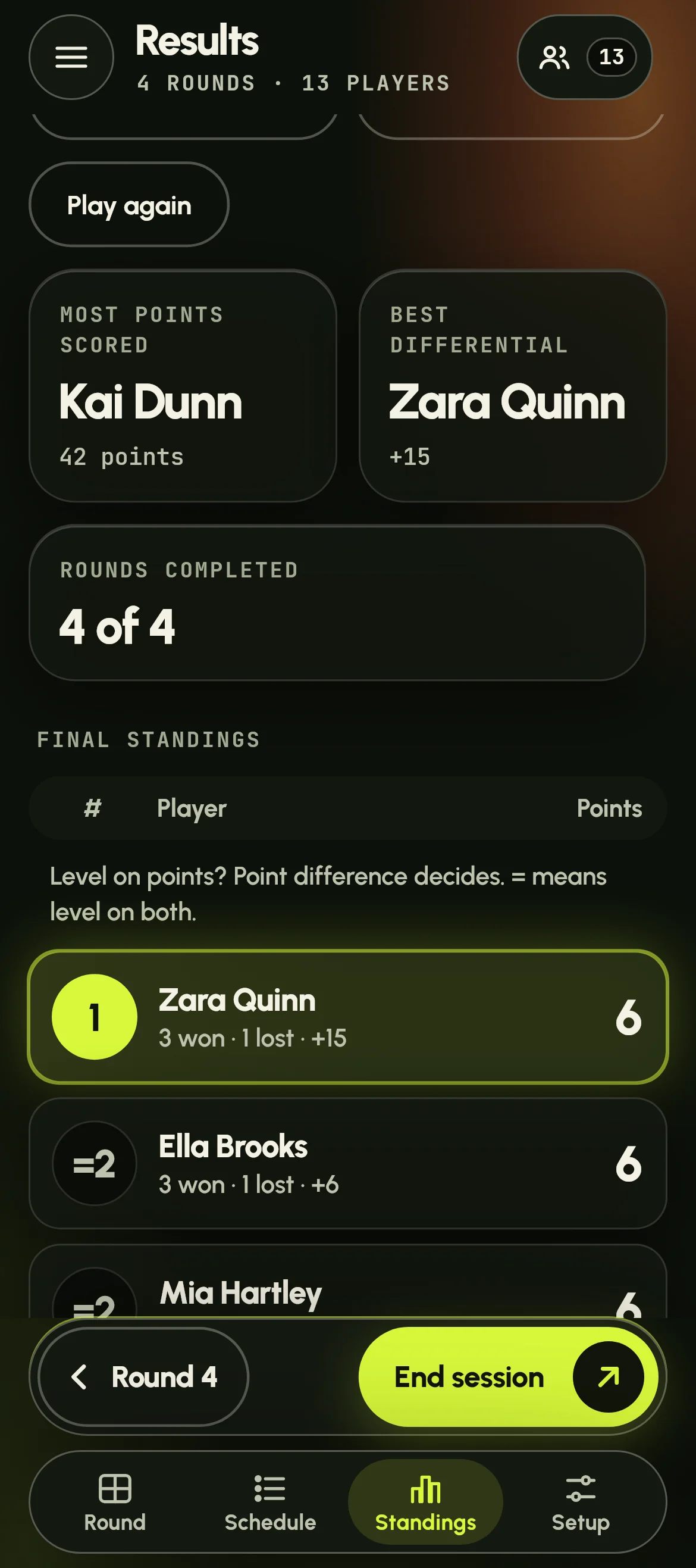
On the last round, Next becomes Finish. The results page names the champion, or the best team for fixed partners, above the final table. Round robin and Apex also show second and third, and highlights such as the most points scored.
Share results sends a picture of the table, with the results as text, through your phone's share sheet, ready for the group chat. Save as group keeps the players for next time, and Play again starts again with the same players, courts and rounds.
Players who joined on their phone get their own recap when you finish: how they went, their games, their best game and how their Dink Rating moved. Every session adds to their stats in the app.
In Dink Duty
How to run a round robin night in Dink Duty
Once the session is set up, the night runs from the organiser's phone at app.dinkduty.com:
-
Put the QR code up
Tap Invite, then Show full screen. Players scan it, tap their name and see their court.
-
Start round 1
Tap Start session. Each court shows who's playing, and the timer, if you use one, counts down each game.
-
Keep score
Tap + for each side's points, then Mark done. When every court is done, tap Next.
-
Add late arrivals
Tap Players and type their name. The rounds still to come are planned again with them in.
-
Check the standings
Standings shows the table so far. On the last round, tap Finish.
-
Crown the champion
The results page shows the champion and the podium. Tap Share results to send them to the group chat.
-
Look back on the night
Highlights pick out the night's best, above the final standings, and players get their own recap.
More guides
The four formats
-
Round robin
A new partner every round. Everyone plays with everyone.
-
Fixed partners
Keep the same partner all session. Pairs play other pairs.
-
Up-and-down
Win and move up a court, lose and move down.
-
Apex
Everyone's re-ranked after every round, so the stronger players rise to court 1 fast.

Thursday's session, sorted.
Open Dink Duty on your phone

Point your phone's camera at the code, then tap the link that appears.